About the Tag Index
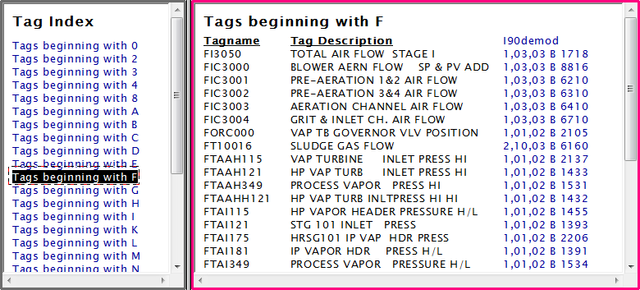
The Tag Index is accessed by clicking on Tag Index in the Databases section of the Table of Contents. It is an alphabetical index of all the tags in your system (excluding any AC 800M or Block 0 taglists), and appears in the index pane. Clicking on one of the items in the Tag Index will cause a page to appear in the content pane showing all the tags that begin with the specified letter or number to appear.
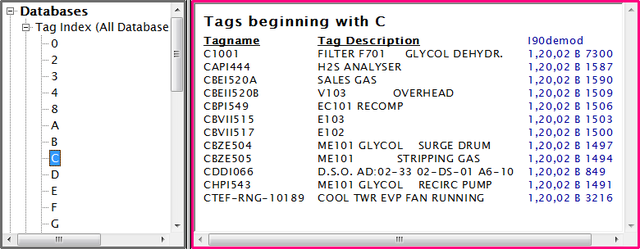
Selecting Tags beginning with C in Treeview mode would look like this:
Finding tag mismatch errors
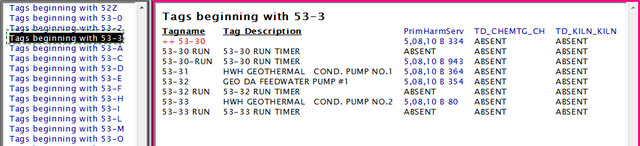
If, during the compile stage, DBDOC identifies a tag that is associated with more than one block (e.g. it has different definitions in different databases) the error will show up in the Tag Index. As shown below, the tag name will be in red, and preceded with ++.
You can quickly check your system for this situation by doing a normal text search for ++.
Sorting table columns
The columns in the tag index can be sorted either ascending or descending alphanumerically. When you mouse over a column it will be highlighted, clicking anywhere in that region will change the sort of the column. The current sort mode is indicated by the arrows to the right of the column name. When the down arrow is highlighted in grey, the column is currently sorted in descending order. When the up arrow is highlighted in grey, the column is currently sorted in ascending order.

See Also