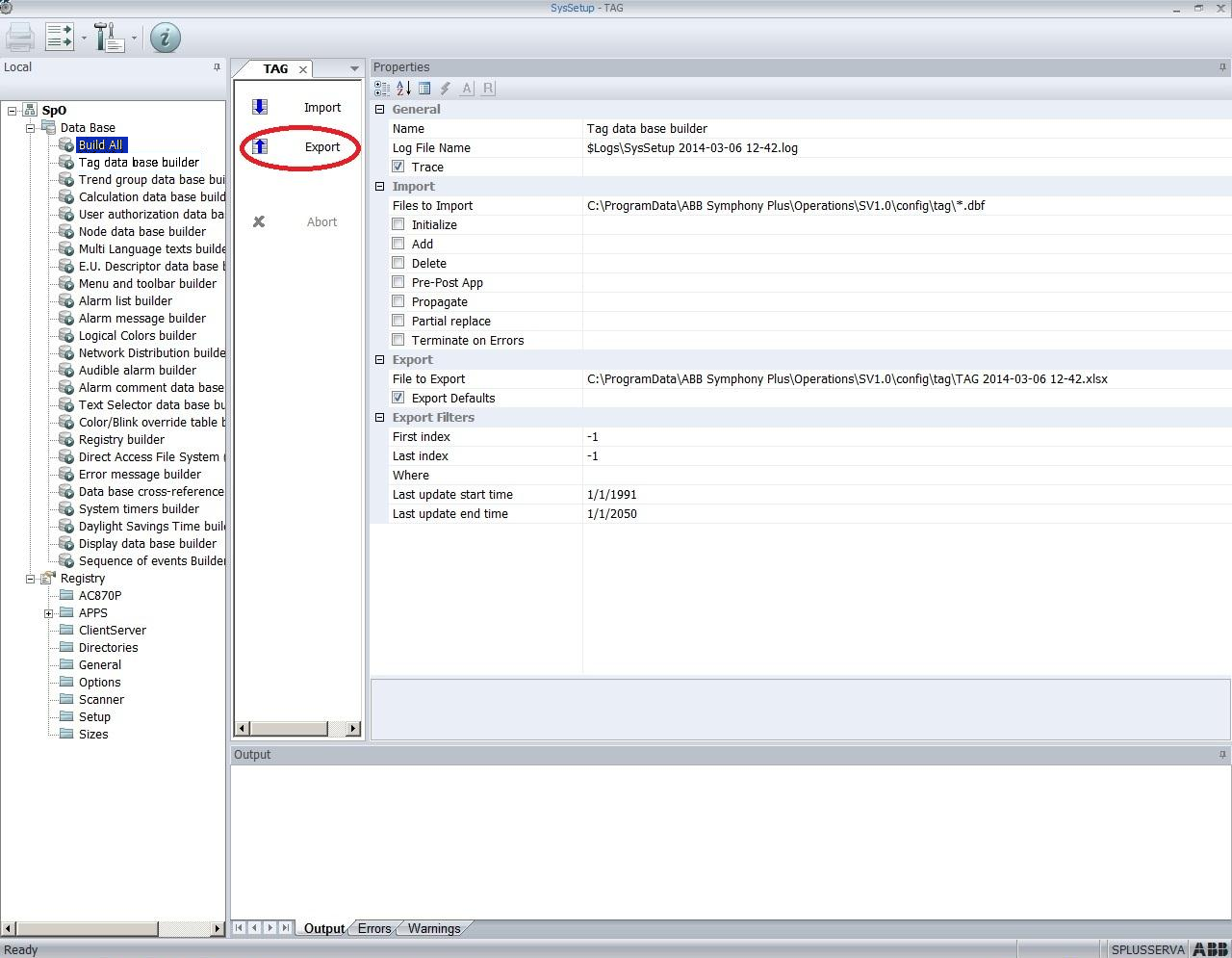
While in theory the S+ Engineering or Composer database should be synchronized with the Symphony Plus graphics database, this is often not the case. To ensure that your Symphony Plus graphics link properly, you may need to export the database used by Symphony Plus graphics and build it into your project.
After export, you can add this .XLSX file as a S+ (.xls/.xlsx) database in the initial Specifying the project name and system file specifications step in BuildPlus.
S+ 3.3 and later
In "Operations Engineering", in the "Database Settings" tab, select "Tags". Select all and then clicking on the "Configuration" tab should allow you to export an XLSX file.

Older S+ versions
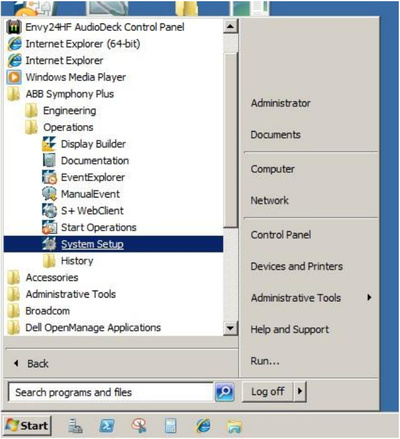
First, open the ABB Symphony Plus Operations "System Setup".
Select Tag data base builder, then click Export.